Read Score
 Chrome extension
Make existing web pages easier to read.
Reading tools that work on the page you already have open. Highlight one paragraph at a time, adjust text spacing, font and size, and calm busy pages, without replacing their content.
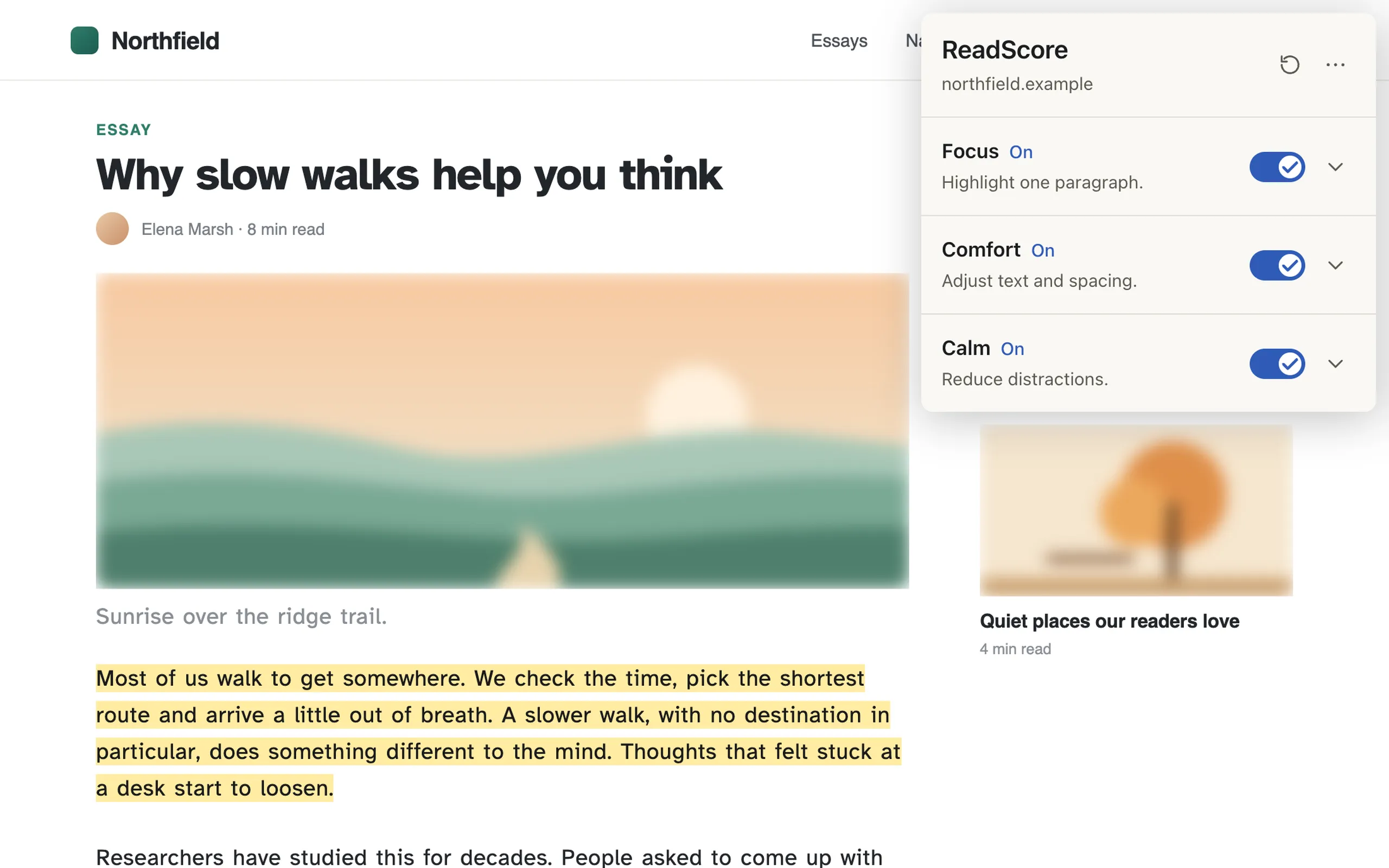
What it does
Focus
Highlights one paragraph at a time. Move with J and K, or let the highlight follow the middle of the screen as you scroll. The highlight can be yellow, blue, green or dark.
Comfort
Adjusts reading text without changing the page’s layout: Relaxed, Roomy or custom line, letter, word and paragraph spacing, a choice of fonts including Atkinson Hyperlegible, and a minimum text size of 18, 20 or 22 pixels.
Calm
Reduce Motion makes animations finish instantly and pauses muted background videos; videos you start keep playing. Blur Images blurs large images and videos until you hover over or Tab to them.
Combine and keep
The three modes work independently and can be used together. Your settings are saved and sync across your Chrome browsers when Chrome sync is on.
How it works
Open ReadScore
Click the ReadScore icon on the page you want to read. It runs only on pages where you open it.
Choose your modes
Turn on Focus, Comfort or Calm and adjust their settings. Changes apply to the page right away.
Reapply or reset
Effects end when you reload or leave the page. Open ReadScore again to reapply your saved settings, or use Reset All to restore the defaults.
Before you install
Browser support
Chrome 116 or newer.
Keyboard shortcuts
J and K are ignored while you type or use a form control. On sites that use these keys themselves, choose Follow Scroll instead.
Supported pages
Works on regular websites, but not on Chrome’s own pages or in the Chrome Web Store. Focus works best on article-like text.
Privacy
ReadScore has no accounts, servers, analytics or tracking, and makes no network requests. Page text and images are processed in the tab and never stored or sent anywhere. Privacy policy, opens in a new tab
Install ReadScore and adjust any page for more comfortable reading.
Add ReadScore to Chrome, opens the Chrome Web Store in a new tab